LLINE
Book clubSaturday at three. Our usual place.
NOTIPOCKET · FOR IPHONE
Messages, reminders, the little things you missed.
Keep notification text sent after setup on your iPhone.
Come back to it when you have a moment.
Automatic capture requires iOS 27. Choose your source apps and enable the automation in Shortcuts.
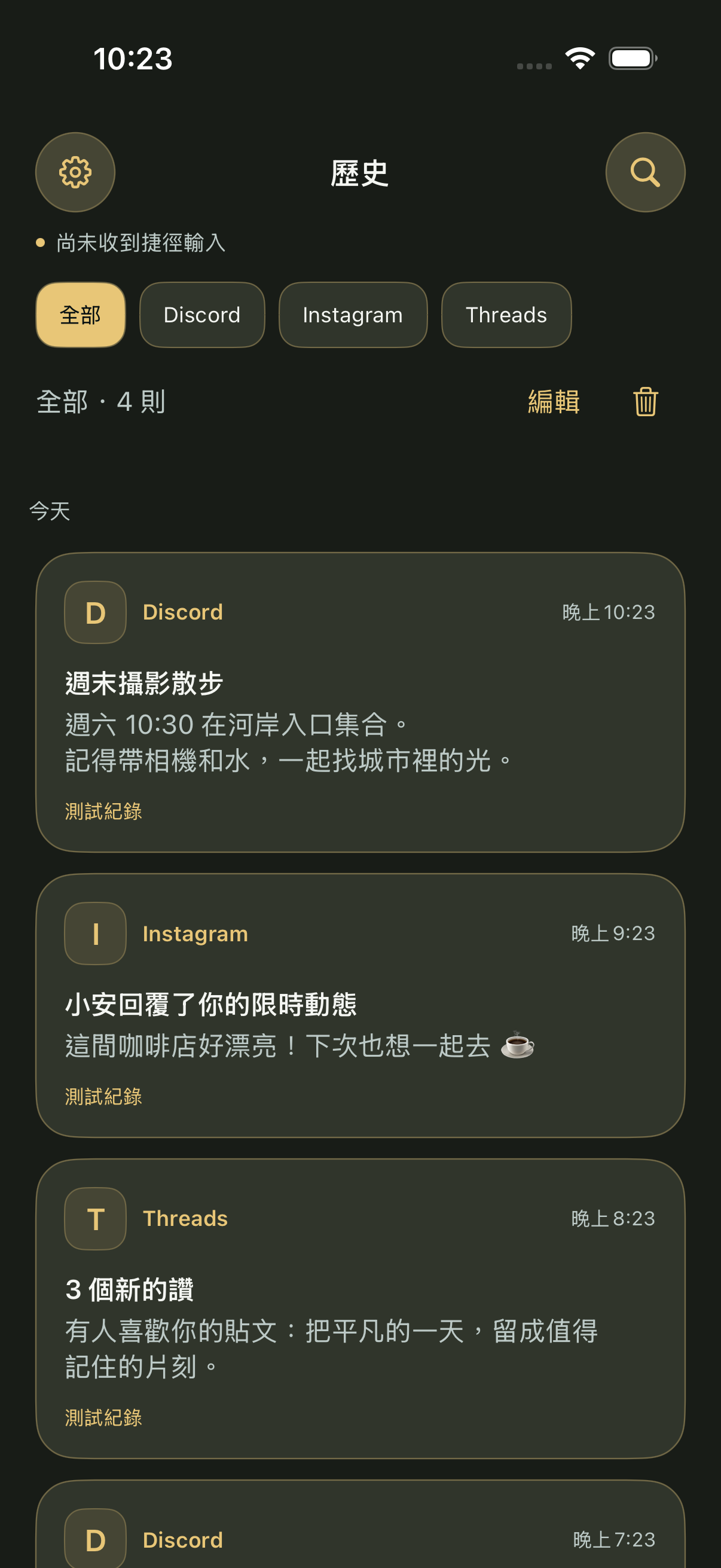
Saturday at three. Our usual place.
Love this café. Let’s go next time ☕
A twenty-minute walk after work.
A LITTLE SPACE FOR WHAT MATTERS
Just know where to look. Browse saved copies by time and switch between sources, from a small reminder to your next plan.
Browse saved copies by date. Filter by source to focus on one app at a time.
Use the separate search page to narrow retained records by keyword, source, and exact date and time.
Retain records for 7, 10, 30, or 90 days. Delete selected items, a whole source, or everything.

YOUR PHONE. YOUR POCKET.
NotiPocket does not upload notification text to our servers. There are no accounts, ads, or third-party analytics SDKs. Pause capture or delete saved copies whenever you choose.
Read the privacy policy ↗Notification text and custom source icons stay on this iPhone. There is no in-app cloud sync.
The optional local 8 PM summary is sent only after you enable it and allow notifications.
Only text passed by Shortcuts is saved. Notification photos, attachments, and full conversations are not captured.
THREE STEPS TO YOUR POCKET
Open capture setup in the app and review how saving works and its limits.
Choose source apps, then turn on the automation in Shortcuts. Importing is not enabling.
Receive a new notification, check capture in the app, and verify its source and text in History.
MAKE IT YOURS
Choose your theme, borders, text density, source icons, and one of 10 app icon styles. The default ink pocket leaves a little space around the things worth keeping.
Website palette
This palette applies to the website. Change your app theme in App Settings.